

Dark Mode in Emails- A Trend That Will Continue to Win Hearts Iin 2022
Dark mode has been taking over the digital space in the past few years, and it is becoming increasingly popular in email design. However, dark mode-optimized email designs are much more than an aesthetic angle: they provide unmatched utility for many situations.
Email design in itself is a challenging territory as 333.2 billion emails are every day to over 4.258 billion users, which translates to roughly 121 emails on a daily basis per user. However, the staggering 4200% ROI is enough reason for marketers to pursue it. So do you think that despite even a regular HTML email template taking one week for completion, the dark mode optimization is worth it?
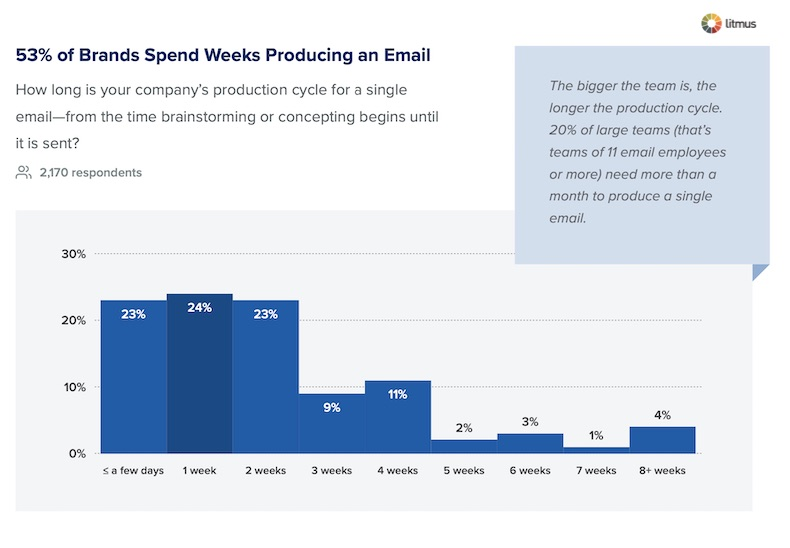
In this article, we will see why it is absolutely worth it and why it is finding a place across email marketing packages too. Hang on for a detailed breakdown of why this trend will continue to win the hearts of email subscribers in 2022:
Is The Dark Mode Trend New: A Quick Brush Off
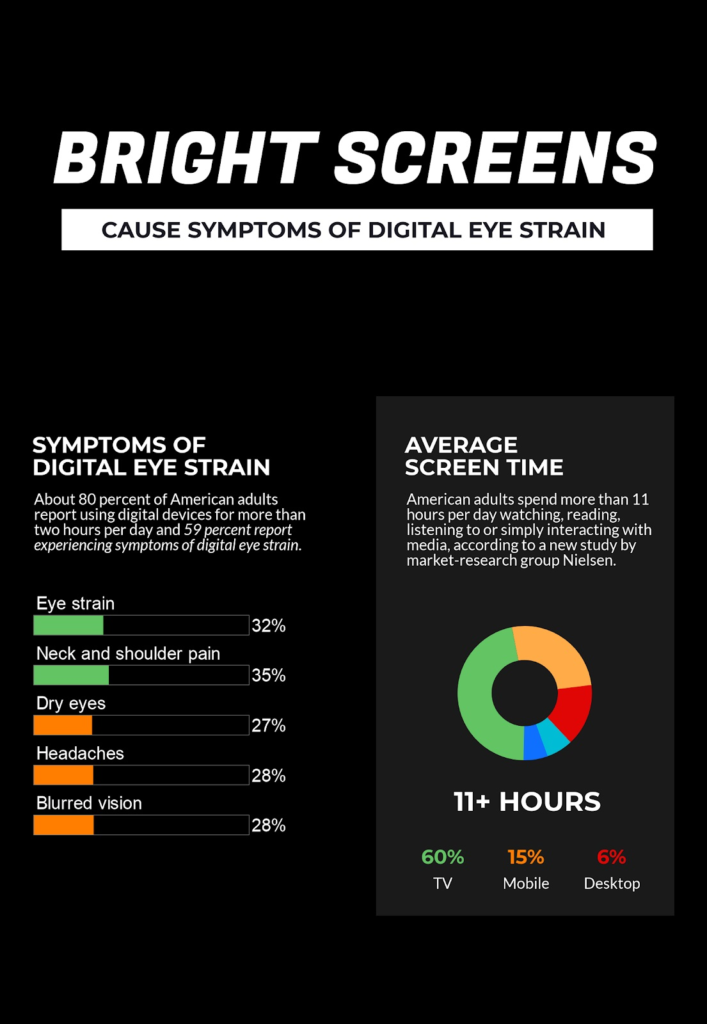
The dark mode is being used since the early days of coding as programmers spent their entire day in front of computers. The light-on-dark theme helped them reduce the strain caused in eyes, and it was recently reincarnated as Apple introduced Dark Mode for iOS 13 in 2019. Google quickly followed with ‘Dark Theme’ at the 2019 Google I/O. As the average user today spends more than eight hours in front of screens, the return is quite meaningful, and it also signifies that this is a permanent design standard and not a trend.
To reinforce my point, I have curated a table to help you understand its adoption across digital products:
| Platform | Service Provider | |||
| Mobile App-Based Email Clients | iPad Mail | iPhone Mail | Outlook app (iOS/Android) | Gmail app (iOS/Android)
|
| Desktop Email Clients | Apple Mail | Outlook 2019 on (macOS and Windows) | ||
| Web-based Email Clients | Gmail | Hey.com | Outlook.com | |
| Operating Systems | Mac OS Mojave | IOS 15 | Windows 11 | Android |
| Browsers | Microsoft Edge | Mozilla Firefox | Safari | Google Chrome |
| Chat Services | Skype | Whatsapp Messenger | FB Messenger | Slack |
| Social Media | ||||
| Productivity Tools | Notion | Trello | Asana | |
Also, you can go through this infographic to understand why dark mode is essential for the well being of your email list subscribers:
Few Tips To Rock Dark Mode Email Design In 2022
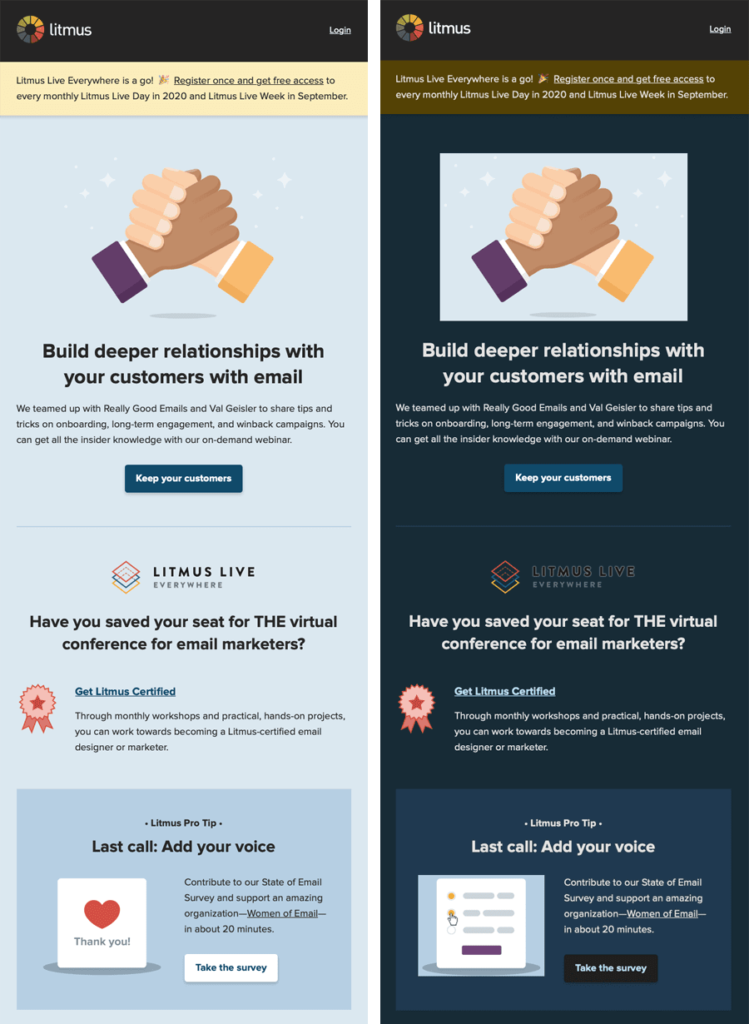
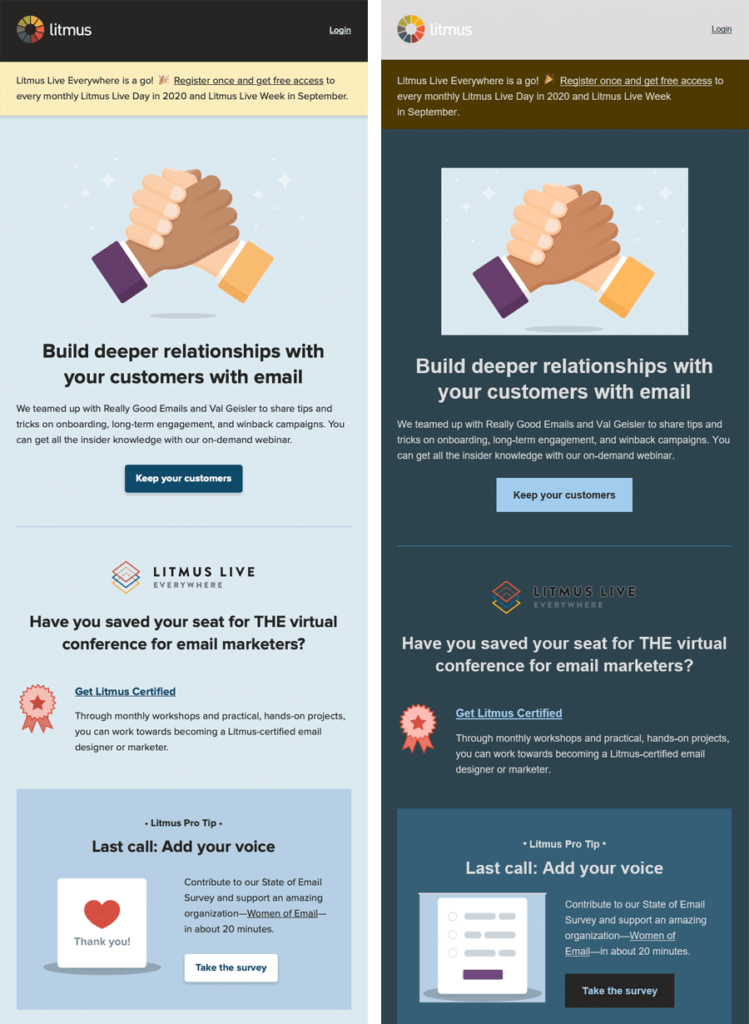
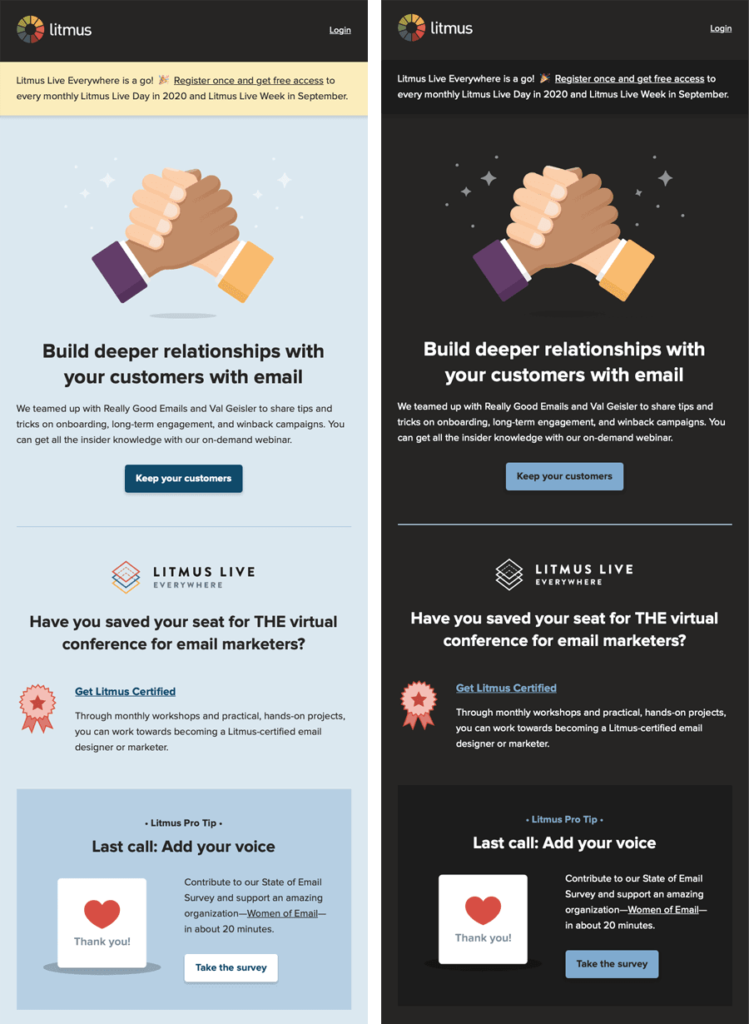
Before we get started, let’s take a look at the implications of not following dark mode email design best practices. If your subscribers will turn on dark mode as the default theme, here’s how your message’s rendering will get affected:

Also, have a look at the examples of how the inversion of your email design looks in real life:
Partial Color Inversion:
Also read: Fix Error Code [pii_email_e5cd1a180e1ac67a7d0e]
Full-Color Inversion:
Properly Optimized:
6 Tips to help you get started
#1 Say No To Pure Black As Background Color
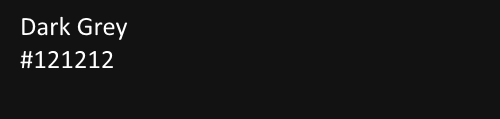
The very first tip for our readers is to not fall for the true black (#000000) as your background color. It actually lowers your message’s readability to a great extent as the contrast with the white fonts doesn’t provide a good reading experience. Instead, you can go for a darker tone of grey like #121212, as it keeps your emails easy to read without losing on the aesthetic appeal of the dark mode.
#2 Repackage Your Brand Color Palette And Assets For The Dark Theme
It is necessary that you repackage your brand elements to ensure proper rendering in dark mode. This is a simple yet essential step as your brand colors and logo should not look strange. Many brands miss on this aspect, leaving their subscribers doubting the authenticity of the sender.
#3 Add A White Stroke To Your Text
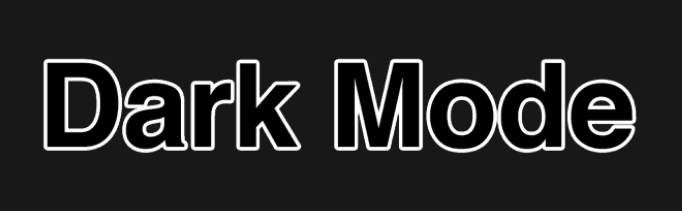
In many cases, you would not want to use white-colored typefaces, and that is totally okay. All you need to do is to add a white stroke to your email font to ensure flawless rendering of your email:
#4 Use PNG Image Files With Transparent Backgrounds
Now everyone knows that image file types like JPG/JPEG are favored by email marketers due to their compactness, so you must use the PNG format for dark mode emails. It is due to the fact that you will need a transparent background, or else your message would look highly distorted with white patches in a dark-themed template. For Outlook, you may add a DIV tag to the images and even add “mso-hide style” tag for older versions.

#5 Desaturate Your Color Palette For Proper Contrast
Another important aspect of dark mode optimization for emails is to adjust your colors to be in the 200 to 50 range and ensure that all your primary colors are desaturated. This will help provide a proper contrast between various elements on your email template and the base color.
#6 Prompt The Inbox Provider About Dark Mode Compatibility
It is a good idea to let the mailbox provider know upfront about the dark mode optimization, and it is quite easy to do so. You just need to insert “prefers-color-scheme: dark” in “@media query”. For Outlook-based subscribers, you need to insert “data-ogsc” in the CSS styling, and you are good to go.
These tips will help you improve your dark mode email design game, and apart from them, you can also use HTML and CSS as dividers for flawless rendering. Also, it would be best to follow a minimalist design style as a dark mode-friendly email template needs to be decluttered for best results.
Summing Up
Dark mode in email design is functional, practical, and helpful. It saves your subscribers from eye strain in low-light environments, reduces battery consumption, and makes content consumption easier. I hope this article helps you woo your subscribers in 2022.
Author: Kevin George is the head of marketing at Email Uplers, which specializes in crafting Professional Email Templates, PSD to Email Conversion, and Mailchimp Templates. Kevin loves gadgets, bikes & jazz, and he breathes email marketing. He enjoys sharing his insights and thoughts on email marketing best practices on an email marketing blog.


![Error [pii_email_8cff7cf7c3bb65767b4c] Resolved](https://imseo.co.uk/wp-content/uploads/2021/03/pii_email_c31346fff2b6307b017b.jpg "Error [pii_email_8cff7cf7c3bb65767b4c] Resolved")
![How to fix [pii_email_f877af728e57091c1ff1] Error](https://imseo.co.uk/wp-content/uploads/2020/08/unnamed.jpg "How to fix [pii_email_f877af728e57091c1ff1] Error")